




 Virtual Trivia
 Virtual Escape Room
 Virtual Murder Mystery
 Virtual Coworker Feud
 Virtual Scavenger Hunt
 Virtual Bingo
 Easter
 Spring Activities
 St. Patrick's Day
 Earth Day
 Administrative Professionals Day
 Virtual Murder Mystery
 Virtual Bingo
 Virtual Icebreaker Games
 Online Taboo
 Virtual Cocktail & Mixology
 Virtual Food Decorating
 Virtual Tasting Experiences
 Virtual Cooking Classes
 Virtual Wellness Program
 Guided Online Meditation Class
 Virtual Yoga Class
 Team Synergy Workshops
 Virtual Paint Party
 Virtual DIY Terrarium
 Virtual Origami
 Virtual Pottery
 Virtual Marble Resin Class
Virtual Puzzle Game – Keep Talking And Nobody Explodes

10-40 People

45 min

Virtual
Chosen by Leading Teams Everywhere














Have queries before booking?
Contact us, and we’ll reply in 24 hours
Frequently Asked Questions

What happens at the Keep Talking And Nobody Explodes game?
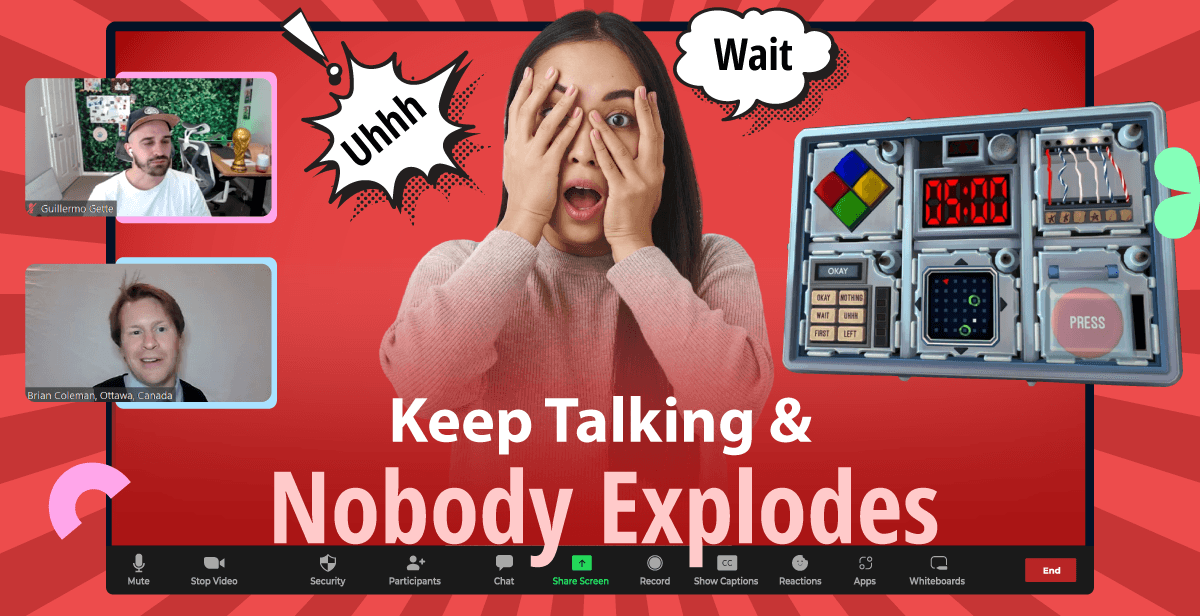
Your team joins a live video meeting where a professional host welcomes everyone and explains how the game works. One player takes on the role of the Defuser while the rest become Experts using a bomb manual. The catch? The Defuser can’t see the manual, and the Experts can’t see the bomb. Guided by the host, your team will work together to solve clues, crack puzzles, and navigate challenges all within a set time limit.
Why should we choose ‘Keep Talking And Nobody Explodes’ for team building?
Keep Talking And Nobody Explodes is a fast-paced, high-energy game that promotes teamwork through focused communication and problem-solving. It helps teams manage stress, adapt communication styles quickly, and build trust under pressure. Also, the game is replayable and easy to customize for different team dynamics.
Will my team love playing the ‘Keep Talking And Nobody Explodes’ game?
Absolutely! The game is easy to set up and learn, and is packed with high-energy fun. It keeps everyone engaged with fast-paced action and encourages focused, active listening. With support for 25+ languages and flexible gameplay, it’s a hit with teams of all sizes and backgrounds.
Do I have to be a gamer to join the game?
No. The game is designed to be inclusive and accessible to all participants, regardless of their gaming skill level. Our expert host will also be with you every step of the way to ensure you’re comfortable and fully engaged throughout the game.
What do we need to join the session?
You’ll need a laptop or desktop computer with a working webcam and microphone. Also, make sure your device is connected to a stable internet connection to ensure smooth participation.
Can we use a mobile device to join the game?
Mobile and other touch devices aren’t supported for this gameplay. To ensure the best experience, please join using a desktop computer or laptop.
Which browsers are supported for the game?
You can use Chrome, Edge, Safari, or Firefox. Just make sure your browser is up to date for smooth gameplay.
Can my global team enjoy the game?
Absolutely! The game is available in 25+ languages, making it perfect for international teams. Just let us know your preferred language when booking, and we’ll do our best to accommodate it.
How much time do we get for the game?
The entire experience lasts around 45 minutes, including the welcome, game briefing, gameplay, and a quick wrap-up at the end.
What if the headcount changes after the booking?
No problem! Just let us know in advance, and we’ll make the necessary arrangements to accommodate any additional team members.
What are the pricing options available on Hooray Teams?
We offer flexible pricing options to suit every team size and event type. Our individual pricing is based on the exact number of attendees, making it ideal for smaller groups. For larger groups, we offer group pricing tiers that scale with your team size. If you’re planning a kitted event that combines multiple experiences, we offer custom pricing tailored to your specific needs.
Can we award prizes to the winners?
Certainly! You’re welcome to source your own prizes to reward the winning team. We can also make the prize announcement extra special by arranging a fun spin-the-wheel or other creative ways to celebrate the winners. Just let us know your preferences.
Can we take a group photo during the event?
Absolutely! Our host will be happy to take a group screenshot at the end of the event. If you’d like, we can even take photos of specific moments during the session. Just let us know your preferences in advance.
Can we get a video recording of the event?
Yes, we can arrange to record the session. Just let us know in advance so we can enable recording and share the file after the event.
Can we cancel the event?
Yes. You can opt for free cancellations up to 10 days prior to the event.

Still Confused ?
Need help picking and coordinatinga virtual team event? Let our team guide you!
Contact Us